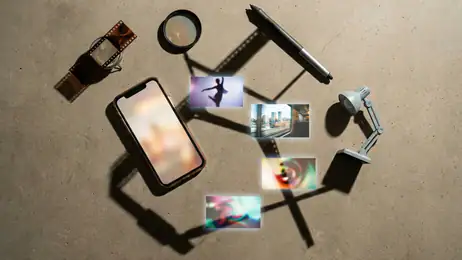
 Gallery
Why Gallery Keeps Pulling Users Back
Gallery wins not through spectacle, but through instant access, familiar routines, and the reassuring feeling that every photo is already where it belongs.
Most photo apps want to become your memory vault, your editor, your search engine, and occasionally your creative director. Gallery does something less glamorous and, in practice, more powerful: it gets out of the way. Open it and your pictures are waiting. That simple promise has made the category-defining gallery app one of the most repeatedly opened tools on a phone.
After spending time with Gallery, I came away convinced that its strength is not a single headline feature. It is the accumulated advantage of being the default place where photographs become visible again. The app wins attention because it removes friction, wins retention because it quietly organizes a personal archive, and wins habit because people do not need to decide whether they need it. They simply need to look at a picture.
The dominance breakdown
Why it got this big
Gallery grew alongside the smartphone camera, and that timing matters. As phones replaced compact cameras, the photo library stopped being an occasional destination and became a daily record of ordinary life. Screenshots, receipts, family snapshots, downloaded images, work references, travel plans, and short videos all began landing in the same pocket-sized archive.

See More Apps by Gallery


Gallery benefited from being present at the exact point of capture. A photograph taken seconds earlier does not need to be uploaded, imported, or explained. It appears in the same environment where the user expects to find it. That immediacy created a powerful default, and defaults are difficult for rivals to dislodge.
There is also a useful lack of ceremony. Google Photos asks users to think about backup, search, sharing, and cloud storage. FaceApp and Remini ask for a creative decision. InShot asks whether a clip should become a project. Gallery asks only whether you want to see your pictures. That narrow job makes it accessible to almost everyone, including people who would never describe themselves as photo enthusiasts.
The app also scales with the phone itself. A budget device may use Gallery as a basic grid of images, while a premium phone can turn it into a fast, polished archive for high-resolution photographs and video. The underlying behavior remains familiar across both. This continuity is a major reason the product became culturally invisible in the best possible sense: it feels less like an app people chose and more like a natural part of owning a phone.
What it does better than rivals
Gallery's greatest advantage is speed at the moment of intent. If I take a photo and want to check it, the app does not make me wait for a cloud service to finish thinking. If I receive an image and want to confirm its contents, the path is equally direct. The interface is built around the assumption that the user already knows what they want to inspect.
That makes Gallery particularly strong for quick visual tasks. I can compare two shots, crop an image, rotate a document, check whether a screenshot contains the right information, or delete a duplicate without entering a larger ecosystem. The app respects the small request. It does not turn every action into a campaign to keep me inside the product.
Google Photos is more ambitious and often more capable as a long-term archive. Its search, cloud synchronization, automatic grouping, and cross-device access are genuinely useful. But ambition introduces distance. Gallery feels local, immediate, and concrete. Google Photos feels like a service managing a collection. When the need is simply to inspect a recent image, local clarity often beats broader intelligence.
Gallery also avoids the creative pressure found in editing-focused apps. Remini can make an old photograph look sharper, FaceApp can transform a portrait, and InShot can turn a collection of clips into a finished video. Those tools are valuable because they change the material. Gallery's role is different: it preserves the original moment and lets the user decide whether anything else should happen.
Where the design feels sticky
The design is sticky because it mirrors the way people remember photographs. Most users do not think in file names or folders. They think, “the picture I took this morning,” “the screenshot from last week,” or “the video from the trip.” A chronological grid supports that mental model immediately. The newest material sits at the front, while older memories recede without disappearing.
Thumbnails do much of the cognitive work. A glance is enough to recognize a location, a face, a product package, or a moment that would be difficult to describe in words. This is why the app can feel fast even when a library is large: recognition is doing the navigation, not a complex menu system.
Gallery's full-screen viewer adds another layer of stickiness. Tapping a photograph expands it into a private, quiet space where small details become visible. Swiping through nearby images creates a gentle rhythm: inspect, move, remember, move again. There is no level to complete and no feed demanding a reaction. The reward is the image itself.
That rhythm can become surprisingly absorbing. I have opened Gallery to check one image and ended up moving backward through a sequence of photographs from the same day. The app does not manufacture this behavior with notifications or streaks. It simply makes the next image easy to reach and often more interesting than the one before it.
How it earns repeat opens
Gallery has one of the cleanest habit loops in mobile software. A trigger appears in ordinary life: someone sends a photograph, a memory surfaces, a document needs checking, or the camera has just been used. The user opens the app, finds a visual answer, and often receives a second reward in the form of an unexpected memory.
The loop works because the archive is constantly refreshed. Every new photograph adds another reason to return, while the older library gains value through accumulation. Unlike a social feed, the content is personally relevant by default. Unlike a streaming service, it does not need to persuade the user that something is worth watching. The user's own life supplies the material.
This is also why Gallery remains useful during short sessions. A ten-second visit can be successful. There is no requirement to browse for long enough to justify the opening. That low time commitment makes the app easy to summon repeatedly throughout the day.
Sharing strengthens the loop without making Gallery a social network. A user opens a conversation, chooses an image, checks it in Gallery, and returns to the conversation. The app benefits from being embedded in a larger chain of behavior while keeping its own purpose narrow. It is a tool people revisit because other activities constantly point back to their camera roll.
What users forgive
Users forgive Gallery's limitations because its central promise is so dependable. They will tolerate modest editing controls, uneven album management, and a search system that may not understand every image. They will even accept a plain interface if photographs load quickly and the newest image is where it should be.
That tolerance comes from trust. Gallery is expected to show the user's material without editorial judgment. It does not rank memories, recommend a mood, or decide which photograph deserves attention. Even when the app includes automatic highlights or sorting tools, the basic archive remains accessible. The user feels ownership rather than subscription to a recommendation engine.
People also forgive visual conservatism. A more fashionable interface might look better in screenshots, but a photo library benefits from restraint. Large previews, clear spacing, and familiar controls age well. The app does not need to reinvent navigation every year because its underlying task has not changed.
There is a practical forgiveness at work too. Most users do not compare Gallery with professional asset-management software. They compare it with the frustration of not finding a photograph. If the app gets them close enough, quickly enough, it has already succeeded.
Where the cracks show
Gallery's simplicity can become a weakness when the library grows beyond casual use. A few hundred images are easy to scan. Several thousand photographs, videos, downloads, and screenshots create a different problem. Chronology remains helpful, but it is no longer enough. Users need stronger grouping, better search, and more confident control over folders.
This is where Google Photos can pull ahead. Its cloud-based organization and image recognition often make a large archive feel more searchable. It can answer questions that Gallery may not understand, such as finding pictures of a particular place, object, or person. The trade-off is that users must accept a more service-oriented relationship with their library, including storage considerations and synchronization behavior.
Gallery can also feel inconsistent across devices. Some versions include polished editing, secure folders, automatic categories, and useful sharing controls. Others remain little more than a viewer with basic cropping. The name suggests a single product, but the experience is often shaped by the phone maker, operating system, and preinstalled software choices.
Privacy is another area where local simplicity is both strength and limitation. Keeping images on the device feels reassuring, but it does not automatically provide backup. A lost or damaged phone can turn a convenient archive into a painful absence. Gallery rarely makes that risk as visible as a cloud-first service does, which is comforting until it is not.
The editing layer is functional rather than inspiring. Basic adjustments, cropping, filters, and rotation cover everyday needs, but serious editing quickly pushes users toward dedicated tools. Gallery is good at preparing an image for immediate use; it is not trying to replace a full creative workstation. The problem appears only when expectations rise beyond its deliberately modest scope.
Who benefits most
Gallery is best for people who value immediacy over elaborate management. It suits anyone who takes photographs casually, checks screenshots frequently, shares images in messaging apps, or wants a dependable place to review recent camera work. Families benefit from the low learning curve, as do older users who may find a cloud-heavy photo service unnecessarily complicated.
It is also excellent for users with a strong preference for local control. People who do not want every photograph folded into a larger online account can use Gallery as a straightforward private archive, provided they understand the need for separate backups. The app does not demand a new workflow before becoming useful.
Photographers with larger libraries may find it more valuable as a first stop than a complete system. I like using a simple gallery to review a day's shots before deciding which images deserve editing or backup. That first pass feels faster when the app is not trying to interpret the entire collection.
Gallery is less suitable for anyone who needs powerful cross-device organization, detailed facial grouping, advanced restoration, or a collaborative family library. Those users may prefer Google Photos or a dedicated storage solution. Gallery's strength is not universal coverage; it is dependable proximity to the images already on the device.
What keeps competitors behind
Competitors struggle because they are often solving a larger problem than the one users feel in the moment. A cloud photo service may be more intelligent, but intelligence can add setup, permissions, syncing, and account decisions. An editing app may produce a more dramatic result, but it requires the user to enter an intentional creative session. Gallery wins before those choices begin.
Distribution is just as important as design. Preinstallation gives Gallery a permanent advantage. It is available before a user has searched an app store, read a review, or considered alternatives. That first exposure becomes muscle memory, and muscle memory is expensive to replace.
There is also a trust advantage in being boring. A photo viewer that changes slowly feels safer than an app built around trends. Users are more willing to store their ordinary life in a tool that does not constantly ask for attention. Rivals can offer more features, but they cannot easily imitate the quiet confidence created by years of predictable behavior.
Even the app's weaknesses reinforce its position. Because Gallery does not pretend to be a complete photo ecosystem, users understand where it fits. They may install Google Photos for backup, Remini for restoration, or InShot for video projects, but they still return to Gallery for the first look. It remains the neutral ground between capture and everything that follows.
Whether the dominance lasts
Gallery's dominance is likely to last, though its meaning may change. The basic act of viewing local photographs is not going away, and phone manufacturers have little reason to remove the most obvious doorway into the camera roll. As long as smartphones continue to produce a steady stream of images, a gallery remains essential infrastructure.
The pressure will come from increasingly capable cloud services and artificial intelligence. Search may become the main way people access photographs, replacing the chronological grid for large archives. Automatic restoration, object removal, and video creation may also make the basic viewer feel less complete. If Gallery remains too passive, users may begin to see it as a storage shelf rather than an active memory tool.
Still, automation has limits. People often want to browse without asking a question. They want to see what happened on a particular afternoon, compare similar shots, or stumble across an image with no clear search term. The chronological archive has emotional value precisely because it does not require perfect labeling. It lets memory emerge through sequence.
The strongest future for Gallery is therefore not to imitate every rival. It should improve discovery, backup awareness, and lightweight editing while preserving its directness. The app can become smarter without becoming more demanding. That balance will decide whether it remains a trusted utility or gets buried under more ambitious photo platforms.
Final judgment
Gallery is dominant because it understands a truth many feature-rich apps miss: the shortest path to a personal photograph is often the most valuable feature of all. Its habit loop is built from ordinary triggers, immediate access, and the quiet pleasure of rediscovering something that belongs to the user.
It is not the best archive for everyone, the most powerful editor, or the most intelligent photo search tool. Its organization can weaken under a huge library, its editing tools are basic, and its backup story depends heavily on the device and surrounding services. Those are real limitations, not reasons to dismiss it.
What still works is the foundation. Gallery makes the camera roll feel close, legible, and under the user's control. People forgive its gaps because it succeeds at the moment that matters most: opening quickly and showing the picture they came to see. In a crowded photography category, that is not a small achievement. It is the habit that keeps the whole system in place.
You May Also Like

 AccuWeather: Weather Radar
AccuWeather Review: A Quick, Clear Forecast for Everyday Decisions
For everyday plans, the best forecast is the one you can understand quickly. AccuWeather makes rain timing, radar, and local conditions easy to act on, with a few trade-offs.

 Hill Climb Racing
Why Hill Climb Racing Still Turns Crashes Into One More Run
A tiny car, a bumpy hill and one more upgrade: Hill Climb Racing keeps resurfacing because its simple chaos makes every near-miss feel personal.

 AliExpress - Shopping App
AliExpress Makes Global Shopping Feel Personal, but Shoppers Bear the Risk
AliExpress turns a global marketplace into a pocket-sized discovery engine. Its reach is useful, its shopping loop compelling, and its trade-offs easy to miss.

 Lords Mobile: Kingdom Wars
Lords Mobile Is a Kingdom-Building Routine, Not a Quick Match
A case-by-case verdict on the building, battles, device demands, and social commitments that make Lords Mobile rewarding for some players and exhausting for others.

 PDF Scanner app - TapScanner
TapScanner Makes Paperwork Easier to Capture, Check, and Share
TapScanner makes scanning with a phone feel less like a rescue operation and more like a dependable step in getting work done. Its capture tools are useful, though not flawless.

 Block Blast!
 Shows How Much a Puzzle Game Can Leave Out
A quiet grid game shows why puzzle players increasingly value instant clarity, repeatable skill and low-pressure play—and where the genre still needs to catch up.